Flexo Print Quality: Defect Classification and Root-Cause Analysis for Troubleshooting
Even with optimized settings, flexo printing can produce defects. A systematic classification and root-cause analysis approach enables quick resolution and prevention. This article categorizes common defects and provides a troubleshooting methodology.
Defects can be classified into four categories: (1) transfer defects – related to ink film and transfer (e.g., hickeys, pinholes, mottle); (2) registration defects (misregister); (3) mechanical defects (streaks, gear marks); and (4) substrate defects (wrinkles, tears). Each has distinct visual characteristics and causes.
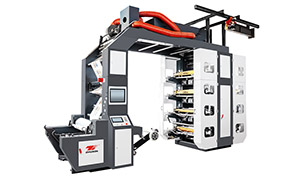
High Speed Flexo Printing Machine - Stack Flexo Flexo Printing Machine
Hickeys are small, irregular unprinted spots caused by particles (dust, dried ink) on the plate or anilox. They appear as white dots. Solutions: clean the plate and anilox; improve substrate cleaning; filter ink. Pinholes are similar but smaller, often due to low ink viscosity or poor wetting; increase viscosity or add wetting agent. Mottle is an uneven, patchy appearance in solids, caused by uneven ink film thickness or substrate non-uniformity; check anilox condition and impression pressure uniformity.
Streaks are linear defects parallel to the web direction. They can be caused by a damaged doctor blade (scratching the anilox), a contaminated roller, or uneven bearing wear. To diagnose, inspect the doctor blade for nicks; replace if needed. Also, check for a worn anilox edge; rotate the anilox end-for-end. Gear marks are periodic bands across the web, corresponding to gear tooth frequency; they indicate worn gears or excessive gear backlash; replace gears or adjust preload.
Ghosting (faint duplicate images) occurs when ink from a heavy coverage area transfers to the following cylinder and then back to the web in a later cycle. This is often due to insufficient drying between colors; increase dryer power or reduce speed. Also, check if the impression cylinder is clean.
Substrate wrinkles are caused by uneven tension or misaligned rollers; adjust edge guides and tension. Tears are usually from excessive tension or a snag; inspect web path for debris.
Systematic troubleshooting: When a defect appears, the first step is to isolate whether it is consistent across the width or localized. If localized, check the corresponding deck's components (plate, anilox, blade). If it changes with speed, it may be drying-related. If it appears on all colors, it may be substrate or tension. Using a magnifying glass and a step-by-step approach, the root cause can be identified.
Preventive measures: Regular cleaning, scheduled replacement of wear parts, and environmental control (temperature, humidity) reduce defect occurrence. Data logging of defects and their causes builds a knowledge base for predictive troubleshooting, where the system alerts before the defect becomes critical.
By mastering defect classification and root-cause analysis, operators can minimize downtime and waste, ensuring high-quality output and customer satisfaction.